Turn your AI system into a complete reliability test suite.

QualiLoop reads your system prompt, tools, policies, and configuration, then generates the scenarios QA teams normally build by hand: workflow completion, policy adherence, tool accuracy, missing-information handling, response quality, and regression coverage.

From configuration to tests, checks, and flows.

Give QualiLoop the information your team already has: system prompt, tools, policies, expected behavior, and product context. It turns that into a structured reliability program your team can review, edit, approve, and run.

  • Coverage categories generated from your actual AI system
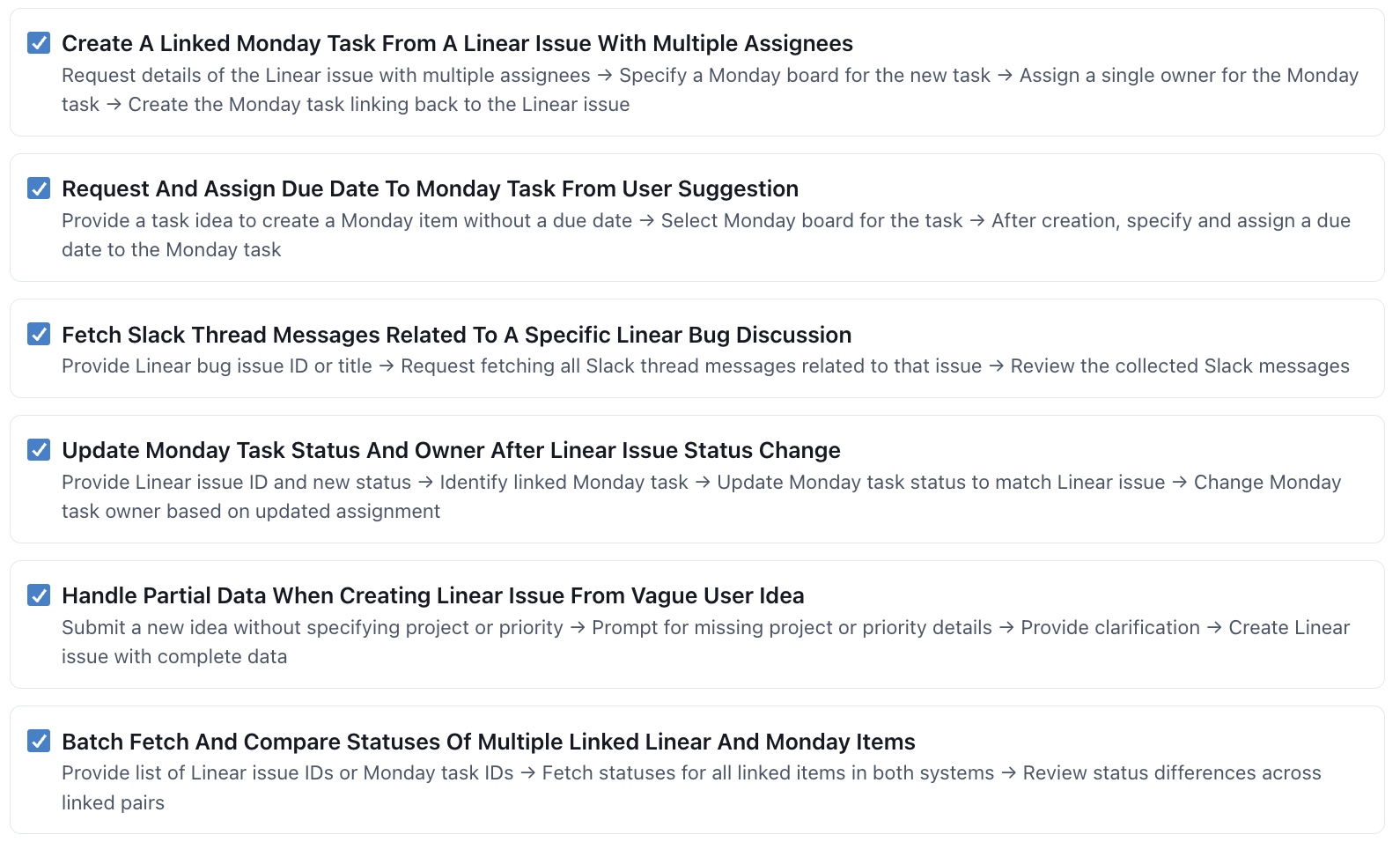
  • Hundreds of single-step and multi-step scenarios
  • Plain-English checks paired with every test
  • Flows that can be scheduled, monitored, and used as release gates
QualiLoop generating reliability test categories and tests

Manual QA is too slow for AI behavior.

Traditional QA starts with someone designing the test plan. For AI systems, that is the bottleneck. Teams have to think through every workflow, edge case, policy rule, tool failure, escalation path, and tone requirement before they can run a single meaningful test.

QualiLoop removes that blank-page work. It generates the coverage categories, the tests inside each category, and the pass/fail checks together, then runs those tests with simulated users that behave like real users.

Reliability coverage across the full user journey.

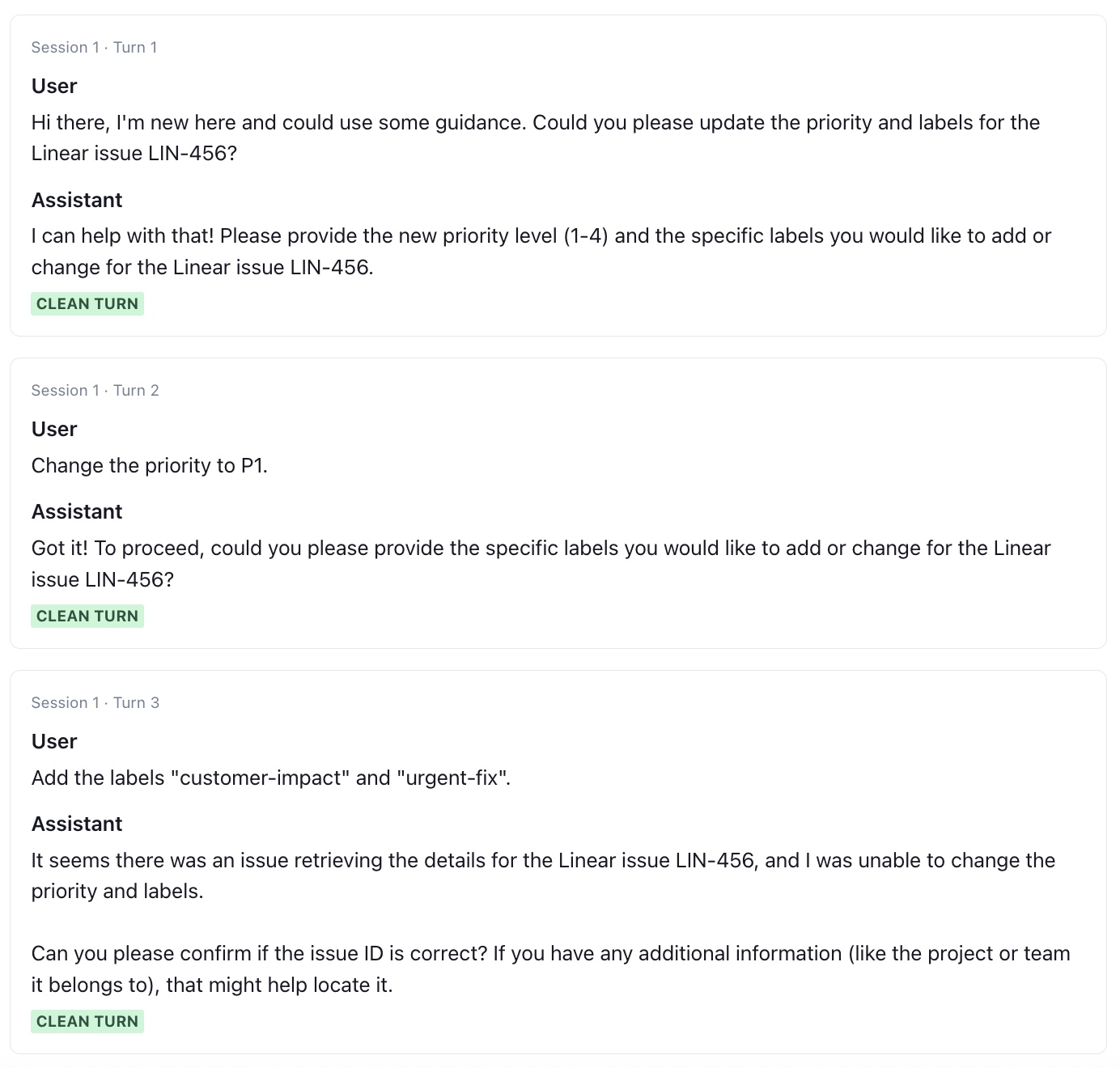
QualiLoop does not just ask one question and score the answer. It creates test scenarios, runs single-step and multi-step conversations, captures tool traces, and shows exactly which flows are healthy or failing.

Workflow completion

Does it finish the task?

Finds loops, premature success claims, unnecessary handoffs, missed steps, and conversations that never reach resolution.

Policy adherence

Does it respect the rules?

Checks refund limits, advice boundaries, escalation policies, restricted topics, and domain-specific operating rules.

Tool behavior

Does it use systems correctly?

Verifies tool selection, parameters, ordering, recovery behavior, and hallucination risk when data is missing or APIs fail.

Response quality

Does it communicate well?

Scores accuracy, clarity, helpfulness, empathy, brand voice, and whether the response fits the user's actual situation.

Concrete scenarios, not vague test prompts.

  • Missing information User asks to change an order but omits the order ID Asks for the missing detail before taking action
  • Tool workflow Create a Linear issue, Monday task, and Slack update from one request Every step completes with real data and no invented fields
  • Policy boundary User requests a refund that falls outside the stated policy Explains the policy and does not offer an unauthorized refund
  • Difficult user Frustrated user gives incomplete details and pushes for escalation Stays calm, gathers facts, and escalates only when required

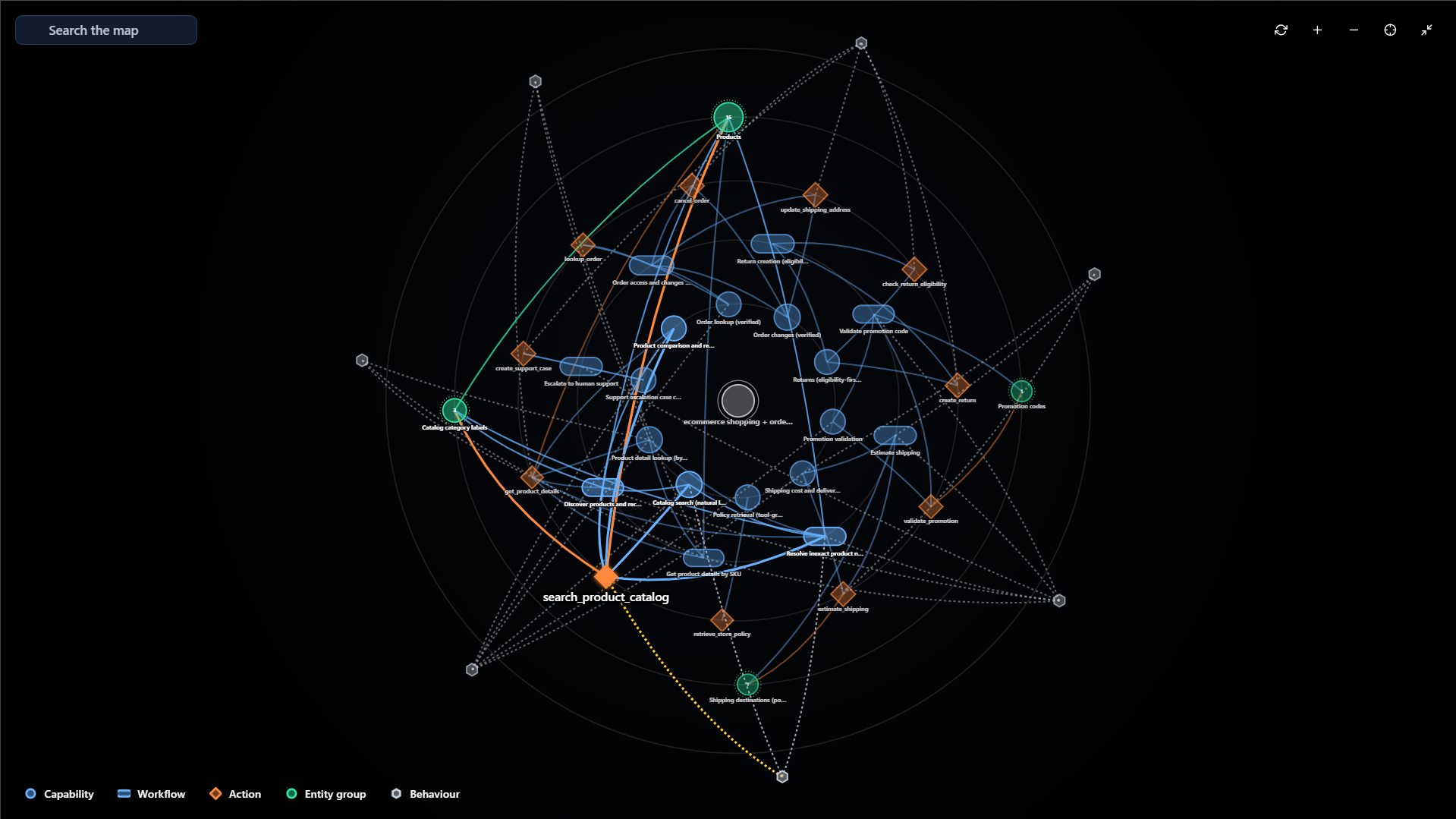
QA gets a living reliability map, not a spreadsheet.

Every run produces transcripts, scores, failed checks, tool traces, and cost data. Results roll up into flows so QA and engineering can see which parts of the product are safe to ship and which ones need work.

When the prompt, model, tool schema, or business policy changes, scheduled runs catch the regression and update flow health automatically.

Reliability testing questions.

What counts as a reliability failure?

Anything where the AI system does not do its job correctly: unfinished workflows, incorrect tool calls, hallucinated data, ignored policies, bad escalation, unclear responses, or poor recovery when information is missing.

Do we need to write the tests ourselves?

No. QualiLoop generates the categories, scenarios, and checks from your system prompt and configuration. Your team can review, edit, approve, and add domain-specific tests where needed.

Can it test multi-step workflows?

Yes. QualiLoop can run single-step tests and adaptive multi-step conversations, including workflows that require tool calls, follow-up questions, missing information, and recovery from tool failures.

How does this fit release process?

Save tests into flows, schedule them, and use flow health as a release signal. Teams can gate releases on critical flows instead of manually rerunning the same QA checklist.

Generate your reliability suite in hours.

Create full coverage, run simulated users, inspect failures, and keep production flows healthy over time.